 Multiplist
One Claude chat to an Obsidian note
Keep the unchanged export. Pull out one useful answer. Link your new note back to the source so you can check it later.
Start with the useful note
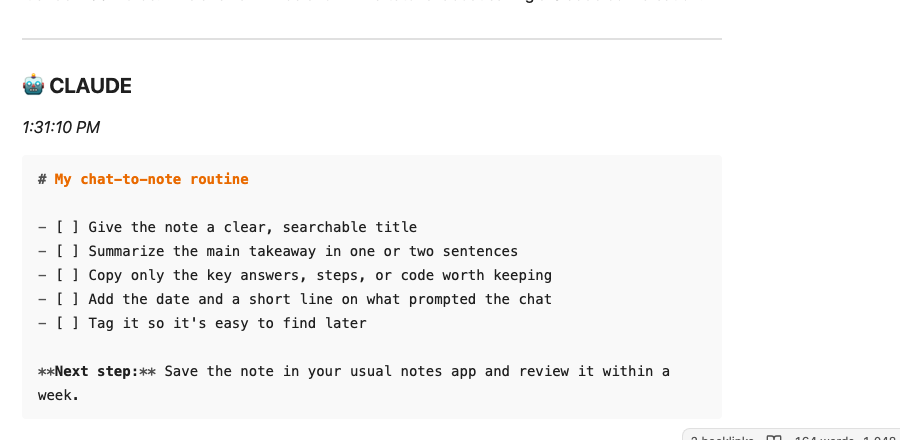
The checklist below came from a short, public tutorial conversation. Its five tasks and “Next step” sentence match the Markdown answer in the original export. Only the local source and index links were added afterward.
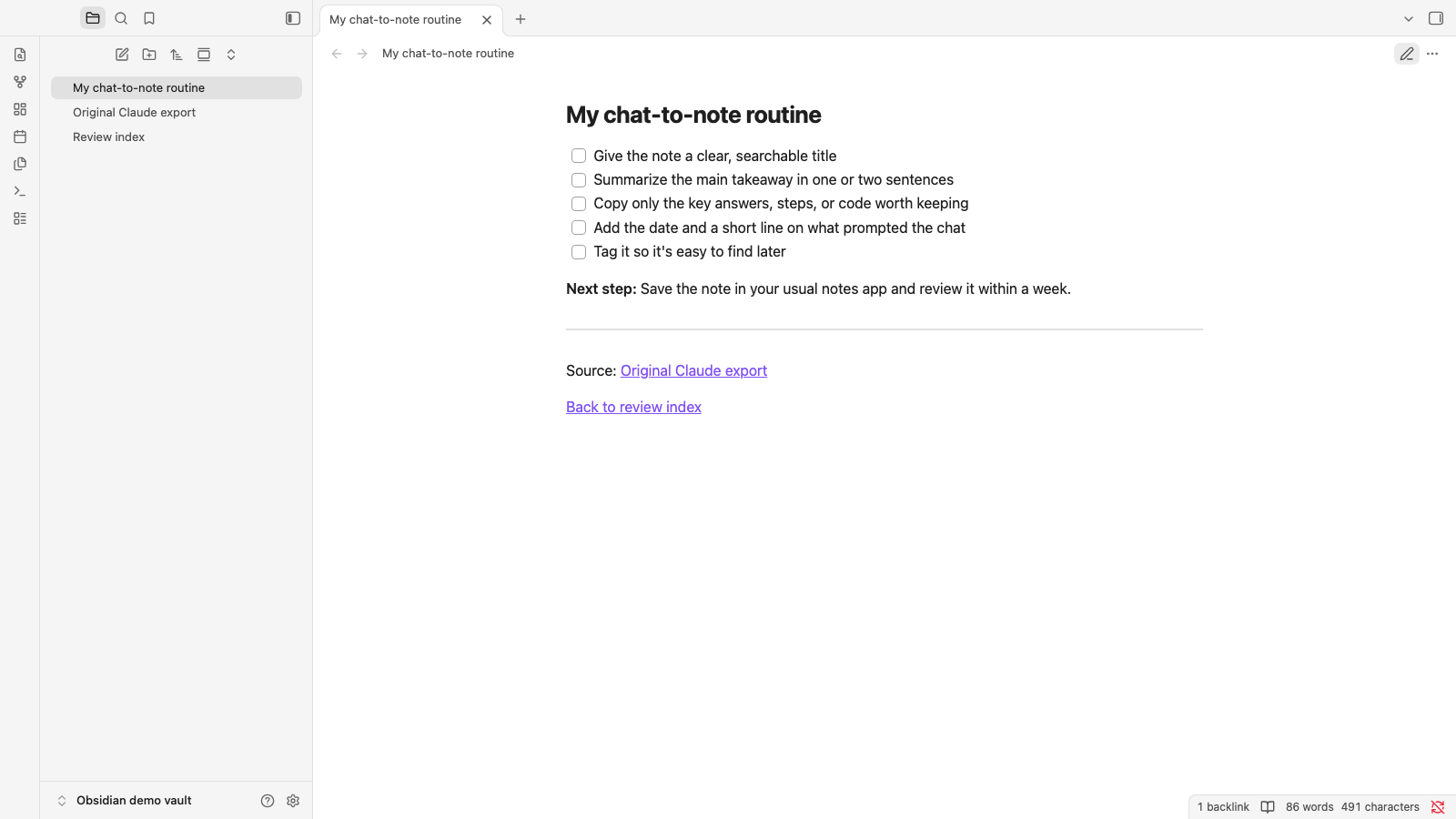
Three files, each with one job
- Original Claude export.mdThe unchanged 1,054-byte Markdown download. Keep it as the source copy.
- My chat-to-note routine.mdThe exact answer extracted as a checklist, with new local links added after it.
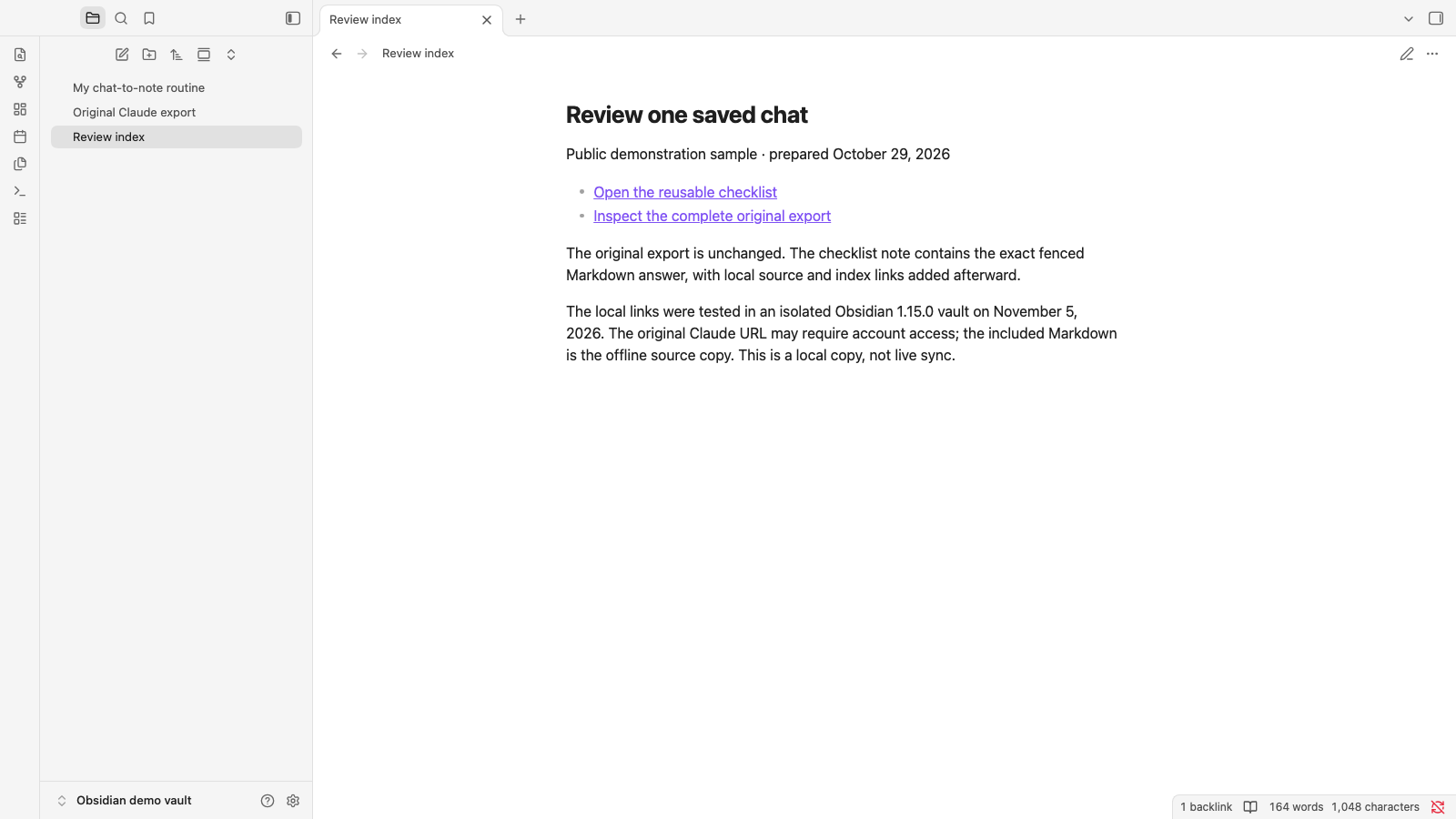
- Review index.mdA small navigation note linking to the checklist and original.
The original export contains a Claude chat URL that may require account access. The Markdown file itself is the offline source copy.
Try the local workflow
Inspect the download
Open the Markdown export and check the useful answer, title, speaker labels and any attachment references. Keep the original file intact.
Place it in a vault
Move the three `.md` files together into an Obsidian vault folder with Finder or your file browser. A basic Markdown import needs no community plugin.
Follow the source
Open the checklist, click its source link, and compare the original answer. Open the index and follow its link back to the checklist.
The Markdown source link in the working note uses an encoded space:
Source: [Original Claude export](Original%20Claude%20export.md)
Obsidian supports Markdown internal links. Spaces in their destinations should be written as `%20`. Obsidian’s link guidance explains the format.
What we actually checked
We put the files in an isolated vault and opened the checklist in reading and editing views. We clicked its source link to the original export, then opened the index and clicked back to the checklist. The original file’s SHA-256 matches the earlier exported file, and the extracted answer text matches its Markdown fence exactly.
The screenshots show real app states. The original-answer detail below is a crop of an app capture so the Claude chat URL is outside the frame.
Know where this route stops
This is a local copy, not a live mirror of Claude. New messages need a new export or a deliberate note update. A link or attachment mention is not a copy of the linked content. This example does not test attachment migration, whole-vault synchronization or AI retrieval.
If you want to export a different active conversation, follow the one-chat export guide. If you want to bring selected Obsidian notes into Claude later, use the reverse-direction guide. Saving text in a Multiplist vault for connected assistants is a separate hosted workflow.